7 Topics
 5 Days
 35 Sessions
Programme Overview
Training Description
- Financial analysts
- ERP finance-system users
- ERP implementation and support teams
- Accounting and reporting professionals
- Treasury professionals
- Procurement and supply-chain managers
- Project and programme managers
- Business and data analysts
- Finance transformation professionals
- Strategic planning professionals
- Senior executives responsible for financial planning and performance
Session Objectives
- Understand the core components of an ERP system relevant to financial planning. Configure ERP modules for various budgeting methodologies. Automate data collection and consolidation for planning purposes. Generate and analyze financial reports directly from the ERP. Learn to perform scenario planning and what-if analysis. Streamline the budget approval and communication processes
About the Course
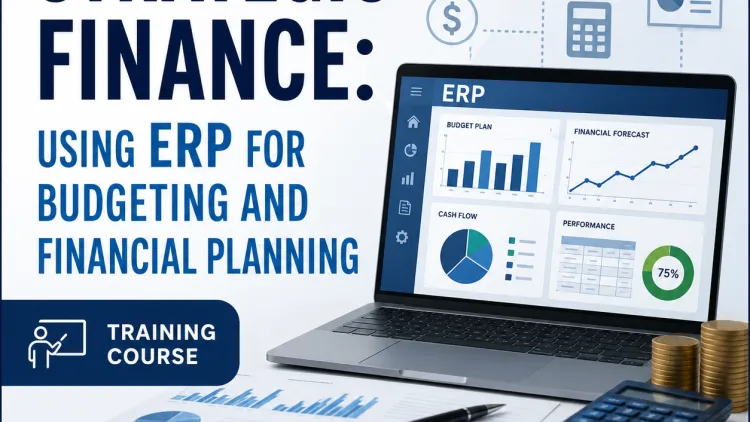
ERP-Driven Budgeting & Strategic Financial Planning is an advanced professional training course designed to equip finance, budgeting, FP&A, accounting, and business-planning professionals with the skills required to use Enterprise Resource Planning (EThe course explores how integrated ERP platforms can connect financial, operational, procurement, sales, inventory, payroll, and project data to create a more accurate and efficient budgeting environment. Participants will learn how to leverage ERP data for budget development, driver-based forecasting, scenario analysis, variance monitoring, resource allocation, financial reporting, and strategic planning.RP) systems to strengthen budgeting, forecasting, financial control, and strategic decision-making.
Curriculum & Topics
7 Topics | 35 Sessions
-
 Workshop 1.1:
Introduction to ERP systems and their architecture.
Workshop 1.1:
Introduction to ERP systems and their architecture.
-
Workshop 1.2:
Key financial modules: General Ledger, Accounts Payable, Accounts Receivable.
-
Workshop 1.3:
Understanding the data flow from transactions to financial reports.
-
Workshop 1.4:
The role of a chart of accounts in an ERP system.
-
Workshop 1.5:
Best practices for ERP navigation and user roles.
-
Workshop 2.1:
Defining the budget structure and hierarchy.
-
Workshop 2.2:
Configuring budget versions and scenarios.
-
Workshop 2.3:
Setting up budget entry methods and templates.
-
Workshop 2.4:
Integrating the budgeting module with the general ledger.
-
Workshop 2.5:
Establishing security roles and access permissions.
-
Workshop 3.1:
Automating the collection of historical data from the ERP.
-
Workshop 3.2:
Using data imports and templates for budget entry.
-
Workshop 3.3:
Consolidating budgets from different departments or business units.
-
Workshop 3.4:
Implementing validation rules to ensure data accuracy.
-
Workshop 3.5:
Handling budget roll-ups and hierarchies.
-
Workshop 4.1:
Leveraging historical data for forecasting models.
-
Workshop 4.2:
Creating multiple budget versions for different scenarios.
-
Workshop 4.3:
Performing what-if analysis on key financial drivers.
-
Workshop 4.4:
Using statistical functions and trend analysis.
-
Workshop 4.5:
Comparing different scenarios to inform strategic decisions.
-
Workshop 5.1:
Generating standard and custom financial reports.
-
Workshop 5.2:
Creating dynamic dashboards for real-time budget monitoring.
-
Workshop 5.3:
Visualizing budget vs. actuals performance.
-
Workshop 5.4:
Using drill-down functionality to analyze variances.
-
Workshop 5.5:
Automating report distribution and notifications.
-
Workshop 6.1:
Integrating budgeting with procurement for expense control.
-
Workshop 6.2:
Linking workforce planning to the HR module.
-
Workshop 6.3:
Using workflow automation for budget approvals.
-
Workshop 6.4:
Communicating budget updates and changes effectively.
-
Workshop 6.5:
The role of ERP in a continuous planning cycle.
-
Workshop 7.1:
Best practices for a successful ERP budgeting implementation.
-
Workshop 7.2:
Managing change and training end-users.
-
Workshop 7.3:
Troubleshooting common issues and errors.
-
Workshop 7.4:
Ensuring data governance and integrity.
-
Workshop 7.5:
Staying updated with new features and system upgrades.