
 9 Topics
 5 Days
Programme Overview
Training Description
Who Should Attend
This course is designed for all office professionals who handle sensitive data, including:
- Office Administrators
- Executive Assistants
- Administrative Assistants
- Receptionists
- Data Entry Clerks
- Any employee using computers and handling sensitive information
Session Objectives
- Understand the fundamentals of website and social media management.
- Maintain a professional website with content updates and basic SEO.
- Create and schedule engaging social media content for various platforms.
- Understand the importance of consistent branding across online platforms.
- Utilize social media analytics to track performance and engagement.
- Implement basic SEO strategies to improve website visibility.
- Understand the importance of online reputation management.
- Develop a content calendar for website and social media updates.
- Utilize social media management tools for efficiency.
- Understand the ethical and legal considerations of online content.
- Respond to online comments and messages professionally.
- Enhance their ability to build and maintain a professional online presence.
- Improve their efficiency in managing website and social media accounts.
- Contribute to improved brand awareness and online engagement.
- Stay up-to-date with the latest trends and best practices in online presence management.
- Become a more confident and effective online communicator.
- Understand the importance of online security and privacy.
- Learn how to use website and social media management tools effectively.
About the Course
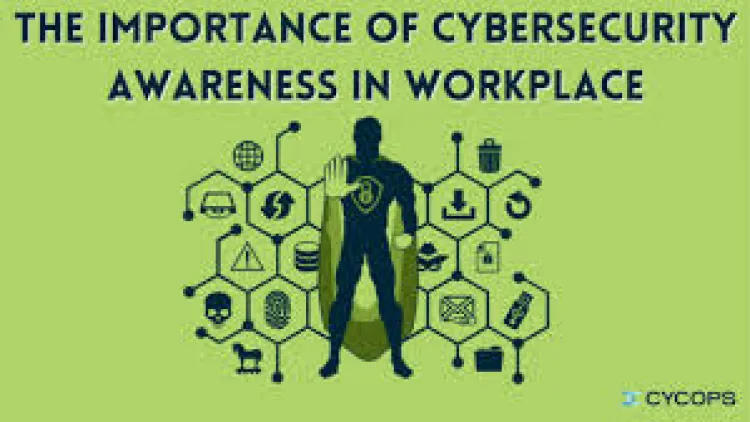
In today's digital age, office professionals are the first line of defense against cyber threats. This comprehensive training course on Cybersecurity Awareness for Office Professionals equips participants with the specialized knowledge and skills to protect sensitive data and prevent cyberattacks. Participants will learn how to recognize common cyber threats, implement best practices for data security, and maintain a secure digital environment. This course bridges the gap between general awareness and practical application, empowering professionals to become proactive guardians of organizational data.
Curriculum & Topics
9 Topics | 5 Days
-
 Subtopic 1.1:
Understanding the importance of cybersecurity in the modern workplace.
Subtopic 1.1:
Understanding the importance of cybersecurity in the modern workplace.
-
Subtopic 1.2:
Common cyber threats and their impact on organizations.
-
Subtopic 1.3:
The role of office professionals in protecting sensitive data.
-
Subtopic 1.4:
Key cybersecurity terms and concepts.
-
Subtopic 1.5:
Overview of relevant cybersecurity regulations and policies.
-
Subtopic 2.1:
Identifying and recognizing phishing emails, messages, and websites.
-
Subtopic 2.2:
Understanding social engineering tactics and manipulation techniques.
-
Subtopic 2.3:
Recognizing red flags and suspicious activities.
-
Subtopic 2.4:
Best practices for handling suspicious communications.
-
Subtopic 2.5:
Reporting phishing attempts and social engineering incidents.
-
Subtopic 3.1:
Creating strong and unique passwords.
-
Subtopic 3.2:
Understanding password management best practices.
-
Subtopic 3.3:
Implementing multi-factor authentication (MFA) for enhanced security.
-
Subtopic 3.4:
Recognizing and avoiding password reuse and weak passwords.
-
Subtopic 3.5:
Understanding password security policies and guidelines.
-
Subtopic 4.1:
Understanding different types of malware (viruses, worms, Trojans).
-
Subtopic 4.2:
Recognizing signs of malware infection.
-
Subtopic 4.3:
Protecting devices from malware and ransomware attacks.
-
Subtopic 4.4:
Understanding the risks of downloading files from untrusted sources.
-
Subtopic 4.5:
Using antivirus and anti-malware software effectively.
-
Subtopic 5.1:
Practicing safe browsing habits and avoiding malicious websites.
-
Subtopic 5.2:
Understanding the risks of using unsecured Wi-Fi networks.
-
Subtopic 5.3:
Protecting personal information online.
-
Subtopic 5.4:
Recognizing and avoiding online scams and fraud.
-
Subtopic 5.5:
Using secure search engines and browsers.
-
Subtopic 6.1:
Protecting confidential information shared via email and messaging platforms.
-
Subtopic 6.2:
Understanding email encryption and secure communication protocols.
-
Subtopic 6.3:
Recognizing and avoiding email attachments from unknown senders.
-
Subtopic 6.4:
Using secure messaging apps and platforms.
-
Subtopic 6.5:
Reporting suspicious email and messaging activities.
-
Subtopic 7.1:
Understanding the importance of data backup and recovery.
-
Subtopic 7.2:
Implementing regular data backup procedures.
-
Subtopic 7.3:
Protecting sensitive data on computers and mobile devices.
-
Subtopic 7.4:
Understanding data encryption and access control.
-
Subtopic 7.5:
Securely disposing of sensitive data and devices.
-
Subtopic 8.1:
Understanding the importance of physical security in protecting data.
-
Subtopic 8.2:
Implementing secure workplace practices (e.g., locking computers, securing documents).
-
Subtopic 8.3:
Protecting sensitive information in shared workspaces.
-
Subtopic 8.4:
Understanding the risks of unauthorized access and physical theft.
-
Subtopic 8.5:
Reporting physical security incidents and concerns.
-
Subtopic 9.1:
Understanding incident response procedures and reporting protocols.
-
Subtopic 9.2:
Recognizing and reporting cybersecurity incidents.
-
Subtopic 9.3:
Staying up-to-date with the latest cybersecurity threats and best practices.
-
Subtopic 9.4:
Participating in cybersecurity awareness training and exercises.
-
Subtopic 9.5:
Promoting a culture of cybersecurity awareness in the workplace.